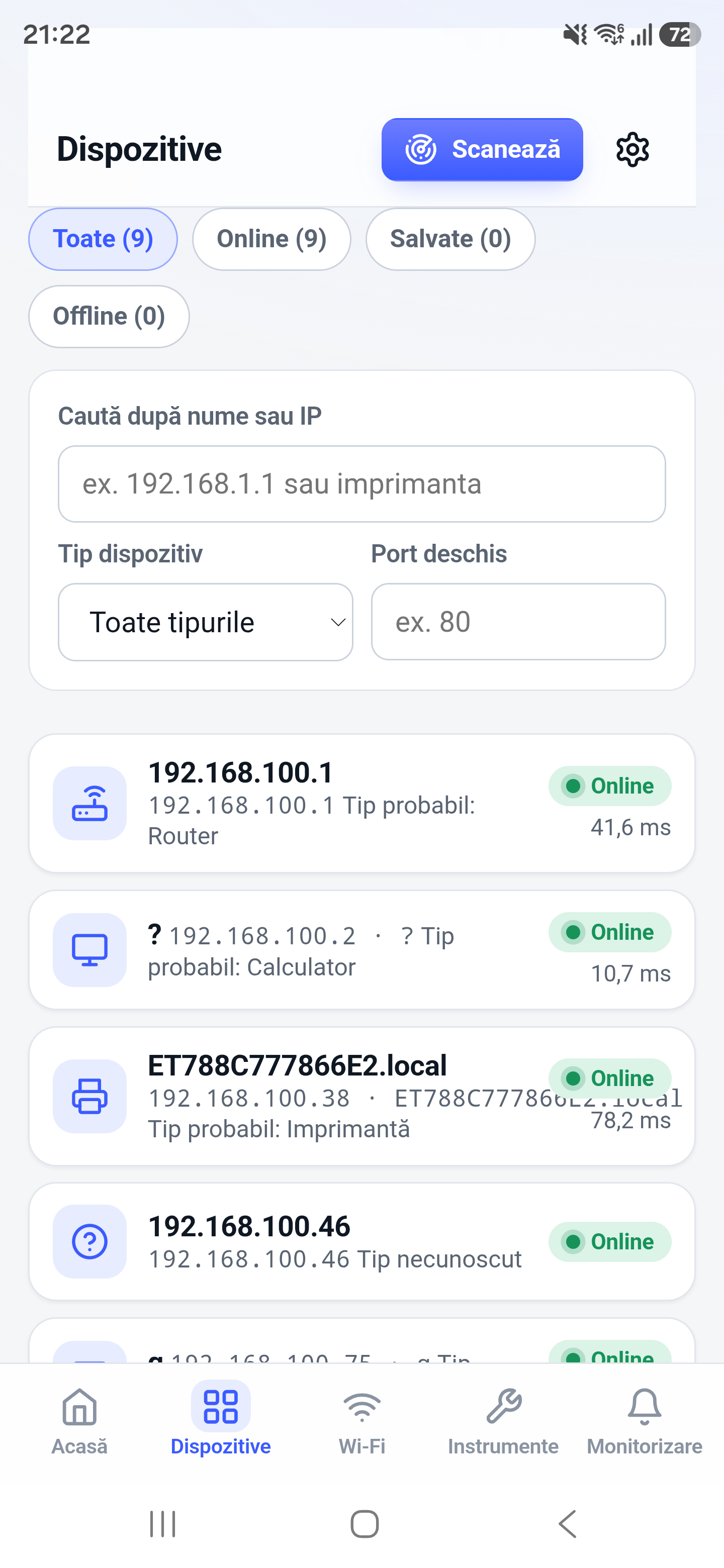
The IP scanner checks addresses in a local IPv4 range and highlights hosts that respond. It is practical when you know the subnet but not the current address of a device.
How it works
The tool walks through addresses in the selected local range and records responses available to the phone. A positive result shows reachability during the scan; a missing response does not prove that an address is unused.
How to use it in Network Toolkit
- Confirm the phone is on the target local network.
- Choose the relevant subnet or local scan range.
- Start the scan and allow the address range to complete.
- Use ping or port scanning to investigate a discovered address.
What information you can see
- Reachable IP addresses
- Response and identification hints
- Host names when local resolution succeeds
- Targets that can be passed to other tools
Common use cases
- Find a device whose DHCP address changed
- Locate a web-managed appliance
- Check a lab subnet from a phone
- Build a quick picture of active local addresses
Limitations and Android considerations
Related network tools
Network Scanner for Android, Ping Tool for Android, Port Scanner for Android can help confirm the result from another angle.
Frequently asked questions
Is an IP scanner the same as a port scanner?
No. An IP scanner looks for reachable hosts; a port scanner checks services on a specific host.
Why can I open a device that the scan missed?
The device may ignore discovery probes while still accepting application traffic, or it may have changed state after the scan.
Can it scan public internet ranges?
The page is designed around reachable local IPv4 diagnostics. Only test systems and ranges you are authorized to assess.